
Creative Effects for Digital Scrapbooking
Creative Techniques & Effects
Once you know the basics, these techniques add personality to a page — interlocking frames, torn edges, out-of-bounds effects, and more. Each one is a building block you can mix into any layout, with any kit.
An Easy Way to Create Digital Notebook Papers
Create custom digital notebook papers the easy way using layered templates in Photoshop and Photoshop Elements. Watch the tutorial or use ready-made notebook papers.
The Interlocking Frames Effect Creates a Wow Page
Learn how to create the Interlocking Frames Effect in Photoshop Elements for digital scrapbooking. Step-by-step tutorial with tips to highlight your photos and make layouts pop.

Cut Out Effect for Digital Scrapbooking
A cut out effect is easy! Learn how to create it using circle shapes and clipping masks in Photoshop or Photoshop Elements — step-by-step with video.
How to Disguise Digital Scrapbook Journaling
Learn how to discreetly disguise personal journaling on your digital scrapbook layout or art journaling page.

Creating a Torn Paper Effect on Your Digital Scrapbook Page
Creating a Torn Paper Effect may be just want you need to finish off your digital scrapbook page!

Using Photo Masks in Photoshop + Photoshop Elements
Learn how photo masks and clipping masks work together in Photoshop and Photoshop Elements — step by step, with shortcuts, tips, and easy fixes.

Using Layered Postage Stamp Frames
Add “postage stamp” frames to your photos to add an interesting touch to you scrapbook pages
5 Creative Ways To Use Washi Tape In Digital Scrapbooking
Digital washi tape is super easy to create and so are semi transparent ribbons!

Using Custom Butterfly Templates for Digital Scrapbooking
Use Custom Butterfly Templates to make endless unique butterflies for your digital scrapbook or art journal page!

Use the Threshold filter to add Handwriting to Your Digital Scrapbook Page
Use Threshold Adjustment in Photoshop or Photoshop Elements to add handwriting to a digital scrapbook page

Extending Your Digital Supply Stash with Artful Add-ons
How to use Artful Add-ons with any kit to add extra interest and create pages that are truly your own
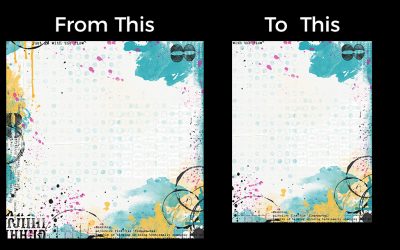
Converting a 12 x 12 Paper to U.S. Ltr or A4 size
If a designer hasn’t included A4 and US Ltr size papers with a kit, don’t fret! Let me show you how you can convert 12 x 12 papers easily!

Coloring Black PNG Elements
Discover easy, beginner-friendly techniques for coloring black PNG elements in digital scrapbooking and art journaling projects.

Make the Most of Grayscale JPGs in Digital Scrapbooking
Learn how to colorize JPG formate overlays to kick up your digital scrapbooking backgrounds!
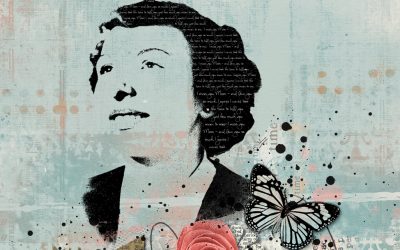
Create Stamped Silhouette for Your Digital Scrapbook Page
Turn your photo into a stamped silhouette! This is a great way to use those less-than-perfect, but still meaningful photos!
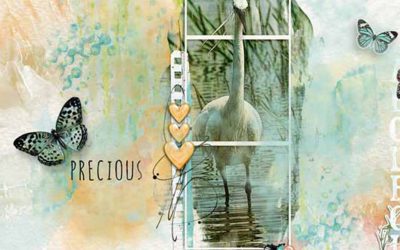
Using Paint or Gesso Elements as Photo Masks
This tutorial shows you how to use paint or gesso elements in a kit as a mask for your photos

Out-of-Bounds Effect
What does “out-of-bounds” mean in terms of art journaling – and what does it have to do with Photoshop?

Adding a Digital Paper Clip to your Pages
Adding a Digital Paper Clip to your page is super easy. Making it look realistic is also easy and, in my Photoshop Elements tutorial, I show you how.

Stencil Your Digital Pages For a Mixed Media Look!
Stenciling is one of my very, very favorite mixed media techniques because it is so simple! Lay the stencil down, use your choice of spray inks or paints on top, remove the stencil and voila! In just a few seconds, you’ve created a lovely background – or even focal element – for your artwork

Get a Little Inspiration in Your Inbox
Ideas, gentle prompts, and new tutorials — sent to you a few times a month. No pressure, no perfection required.